
YouTube Automation Stock Footage Music Licensing Cost (2026)
Most people pricing a faceless YouTube channel get the big numbers right and miss the small one that repeats every month. They budget for scripts, voiceover, and editing, then treat the pictures and music as an afterthought. A faceless video is built from other people’s footage and music, and every clip and track carries a license. Get the license wrong and the video earns nothing, or earns money for someone else.
This guide breaks down what stock footage and music licensing costs inside a YouTube automation channel: the free sources, the paid libraries, the per-video math, and the copyright risk. Third-party prices are attributed to the library that listed them; check the live page before you buy.
Why Footage and Music Are a Separate Bill
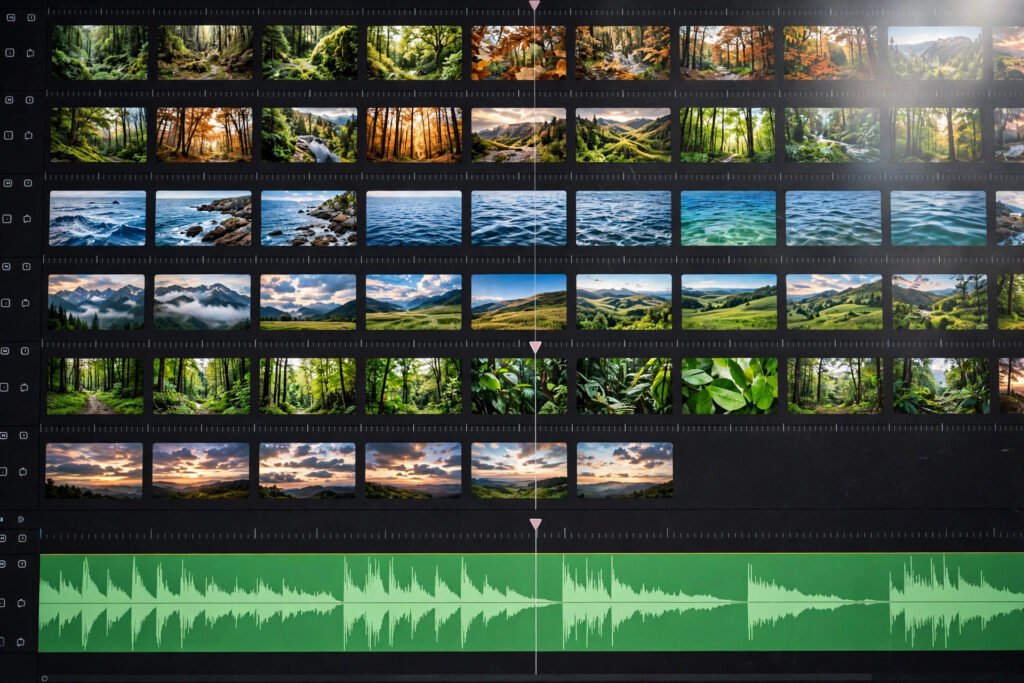
A faceless channel has no camera and no presenter, so the visuals have to come from somewhere. A typical 8-minute video might use 15 to 30 separate clips: establishing shots, cutaways, maps, and slow pans over a city or a landscape. Add an intro track, a background bed, and sound effects, and one video can easily touch 20 licensed assets.
That volume changes the buying decision. A single stock clip is a small purchase. Thirty clips a video, twenty-five videos a month, is a supply chain.
What “Royalty-Free” Actually Buys You
Royalty-free is the most misunderstood phrase in this market. It means you pay no royalty each time someone watches the video. It does not mean the asset is free, and it does not mean you own it. You are buying a license to use someone else’s work under specific terms, and those terms decide whether you can monetize the video, use the track for a client, or keep the license after you cancel.
Three details in the fine print catch new owners. The cheapest tier of almost every library covers your own channels only, so client work and paid ads need a higher tier. Some libraries clear only videos published while you subscribe; others clear them forever. And a license is not a Content ID clearance: the track can still be registered in Content ID, so your video can get claimed until your channel is safelisted.
The Free Tier: $0, With Real Limits
You can start a faceless channel without paying a cent for footage or music. The YouTube Audio Library, inside YouTube Studio, is free, and YouTube’s own help pages say its tracks are protected from Content ID claims and can be used in monetized videos. Some tracks ask for attribution, so check each track first. Pexels and Pixabay offer free stock video and photos for commercial use, no attribution required, including inside monetized videos.
The limits show up fast. Free libraries are the same libraries every other new channel is searching, so your videos start to look and sound like everyone else’s. Free works for testing a niche, but rarely for a daily channel: the hours spent hunting for usable free clips become their own cost.
Music Licensing: What the Main Libraries List
Music is the cheaper half: entry tiers run around $10 a month on annual billing, pro tiers around $15 to $25. Prices below come from the libraries’ own pricing pages and independent 2026 reviews; check the live page before you buy.
Uppbeat lists a free tier of 3 downloads a month, then Essentials at $6.99 a month on annual billing, Creator at $8.99, and Pro at $14.99, the tier that allows client work and paid ads. Epidemic Sound lists Creator at $9.99 a month on annual billing for one personal channel per platform, with Pro at $16.99 a month on annual billing in October 2026 checks, adding client work, ads, and three channels. Artlist lists Music & SFX Social at $9.99 a month on annual billing for your own channels, Music Pro at $16.58, and Music & SFX Pro at $24.92 for commercial and client use.
The detail that matters more than the price is the channel limit. Epidemic Sound’s Creator plan covers one channel per platform, so two channels means an upgrade or a second subscription. Uppbeat’s paid tiers safelist one, three, or ten channels.
Stock Footage: Where the Bill Gets Bigger
Footage costs more than music: a video needs far more of it. The two buying models are subscriptions and per-clip purchases, and they suit opposite publishing volumes. A subscription wins the moment you download more than a handful of clips a month. Per-clip buying only wins for a channel that publishes rarely and needs one specific shot.
Storyblocks lists Essentials at $21 a month on annual billing, Unlimited All Access at $30 a month, and Small Business at $40 a month, all with unlimited downloads. Artlist lists Footage & Templates at $31.99 a month on annual billing, and its Max plan, which bundles music, sound effects, footage, templates, and AI credits, from $39.99 a month. Envato Elements lists Core at $16.50 a month on annual billing for unlimited downloads across footage, music, and templates, with monthly billing listed at $39.
Per-clip marketplaces sit at the other end. Pond5 lists a standard clip at $59 as a one-off purchase, and its Footage Plus plan at $199 a month for 10 downloads. Per-clip buying is for the one shot you cannot find anywhere else, not for your daily supply.
Licensing Options Compared
| Option | Listed price (annual billing) | What it covers | The catch |
|---|---|---|---|
| YouTube Audio Library | $0 | Music and sound effects for YouTube videos | Some tracks need attribution; YouTube-only license |
| Pexels / Pixabay | $0 | Stock video and photos, commercial use | No re-uploading clips unaltered; brand shots restricted on Pixabay |
| Uppbeat | Free; Essentials $6.99/mo; Creator $8.99/mo; Pro $14.99/mo | Music, sound effects; higher tiers add stock video | Free tier is 3 downloads a month; client work needs Pro |
| Epidemic Sound | Creator $9.99/mo; Pro $16.99/mo | Music and sound effects | Creator covers one channel per platform; no footage included |
| Artlist | Music & SFX Social $9.99/mo; Music & SFX Pro $24.92/mo; Max from $39.99/mo | Music, sound effects, footage, templates on higher tiers | Most pro tiers are annual-only; footage needs Max or Footage & Templates |
| Storyblocks | Essentials $21/mo; Unlimited All Access $30/mo | Unlimited footage, music, templates, photos | Annual-only billing; client work needs the Small Business tier |
| Envato Elements | Core $16.50/mo | Unlimited footage, music, templates, fonts, more | Monthly billing jumps to $39; tier structure changed during 2026, verify live |
| Pond5 (per clip) | $59 per standard clip; Footage Plus $199/mo for 10 downloads | Individual clips, no subscription needed | Costs more than a subscription after a few clips a month |
The Per-Video Math at Real Publishing Volumes
Subscriptions look expensive monthly and cheap per video. Take a channel publishing 25 long videos a month. One music subscription at $9.99 a month plus one footage subscription at $30 a month is about $40 combined, or $1.60 per video. One Envato Elements Core subscription at $16.50 a month, covering both, works out to $0.66 per video at the same volume.
Drop the volume and the math turns around. At 5 videos a month, that $30 footage subscription is $6.00 per video before any music is added. At one video a month, a subscription is the most expensive way to buy anything, and per-clip buying or the free libraries win. The right answer depends on your publishing schedule, not the lowest headline price.
The Content ID Risk: When a License Still Gets Your Video Claimed
This is the part of the licensing bill that does not show up on any pricing page. Content ID is YouTube’s automated matching system: it scans every upload against reference files supplied by rights holders. A claim is not a strike: the video usually stays live, but the ad revenue can go to the rights holder, or the video can be blocked in some regions. A claim alone is not a strike, but a groundless dispute can escalate if the rights holder answers with a formal removal request.
Here is the trap. A track can be fully licensed and still get claimed, because the library registered that same track in Content ID to catch unlicensed use. The fix is safelisting: add your channel to the library’s list of licensed channels so Content ID skips your uploads, or dispute the claim with your license as proof.
Three habits keep this risk small. Safelist every channel the day you subscribe. Upload new videos as unlisted first, so YouTube’s pre-publish check can surface a claim while the video is still private. And keep the license receipt for every track.
When the Licensing Bill Makes Done-for-You Cheaper
Licensing is only one line in a video’s cost. The full DIY bill also includes scripting, voiceover, editing, thumbnails, SEO, channel management, and the hours spent hunting clips and clearing claims. Our per-video cost breakdown covers that full stack. Add your subscriptions, divide by the videos you actually publish, then add the editor, the voiceover, and your own hours. If that total is close to a done-for-you price, your DIY stack is the expensive one.
Xoomo YouTube Automation packages, each long video 8 minutes with thumbnail, SEO, and channel management included:
| Package | Price | Per video |
|---|---|---|
| 5 videos | $390 | $78.00 |
| 10 videos | $790 | $79.00 |
| 12 videos | $890 | $74.17 |
| 15 videos | $1,099 | $73.27 |
| 20 videos | $1,499 | $74.95 |
| 25 videos | $1,899 | $75.96 |
The per-video price is not a straight line down. The 10-video bundle at $79.00 per video costs slightly more per video than the 5-video bundle at $78.00, and the cheapest per-video price is the 15-video bundle at $73.27. Our monthly service covers 25 long videos plus 10 Shorts. See our done-for-you channel service, channel management, and hire a team pages, or all options on our packages page.
How to Keep the Licensing Bill Low
Start free and pay only when the free sources start costing you time. The YouTube Audio Library plus Pexels and Pixabay will carry a test channel for weeks. When you do pay, pick one all-in-one subscription before two specialist ones: two subscriptions is where the bill quietly doubles. Save the tracks and clips that work into playlists, reuse a consistent intro track and background bed, and keep one rule: no asset enters a video until its license is confirmed for monetized YouTube use.
Frequently Asked Questions
How much does stock footage and music licensing cost per month for a YouTube automation channel?
A realistic range is $0 to about $40 a month. A paid setup is usually one music subscription around $7 to $10 a month on annual billing plus one footage subscription around $16.50 to $30 a month. At 25 videos a month, that works out to roughly $0.66 to $1.60 per video.
Is the YouTube Audio Library really free for monetized videos?
Yes. Its tracks are free, and YouTube’s own help pages say downloaded tracks are protected from Content ID claims and can be used in monetized videos by creators in the YouTube Partner Program. Some tracks ask for attribution.
Can I use free stock footage from Pexels or Pixabay in monetized videos?
Yes, both allow commercial use in monetized YouTube videos, with no attribution required. You cannot re-upload a clip unaltered or sell it on as stock, and Pixabay bars commercial use of clips showing a recognizable trademark or brand.
Why did my video get a Content ID claim if I paid for the music?
Because a license and a Content ID clearance are different things. The library may have registered the track in Content ID to catch unlicensed use, and the system cannot see your license. Safelist your channel before you upload, and dispute any claim with your license receipt as proof.
Does a done-for-you package include licensing, or do I pay for that separately?
With Xoomo YouTube Automation, licensing is inside the package price. There is no separate footage or music bill, and no claim for you to chase. Compare that with your whole DIY stack first. See the packages page or contact us to talk through your niche.
Licensing is the quietest line in a faceless channel’s budget. Price it at your real publishing volume, safelist your channels, and keep your license receipts.